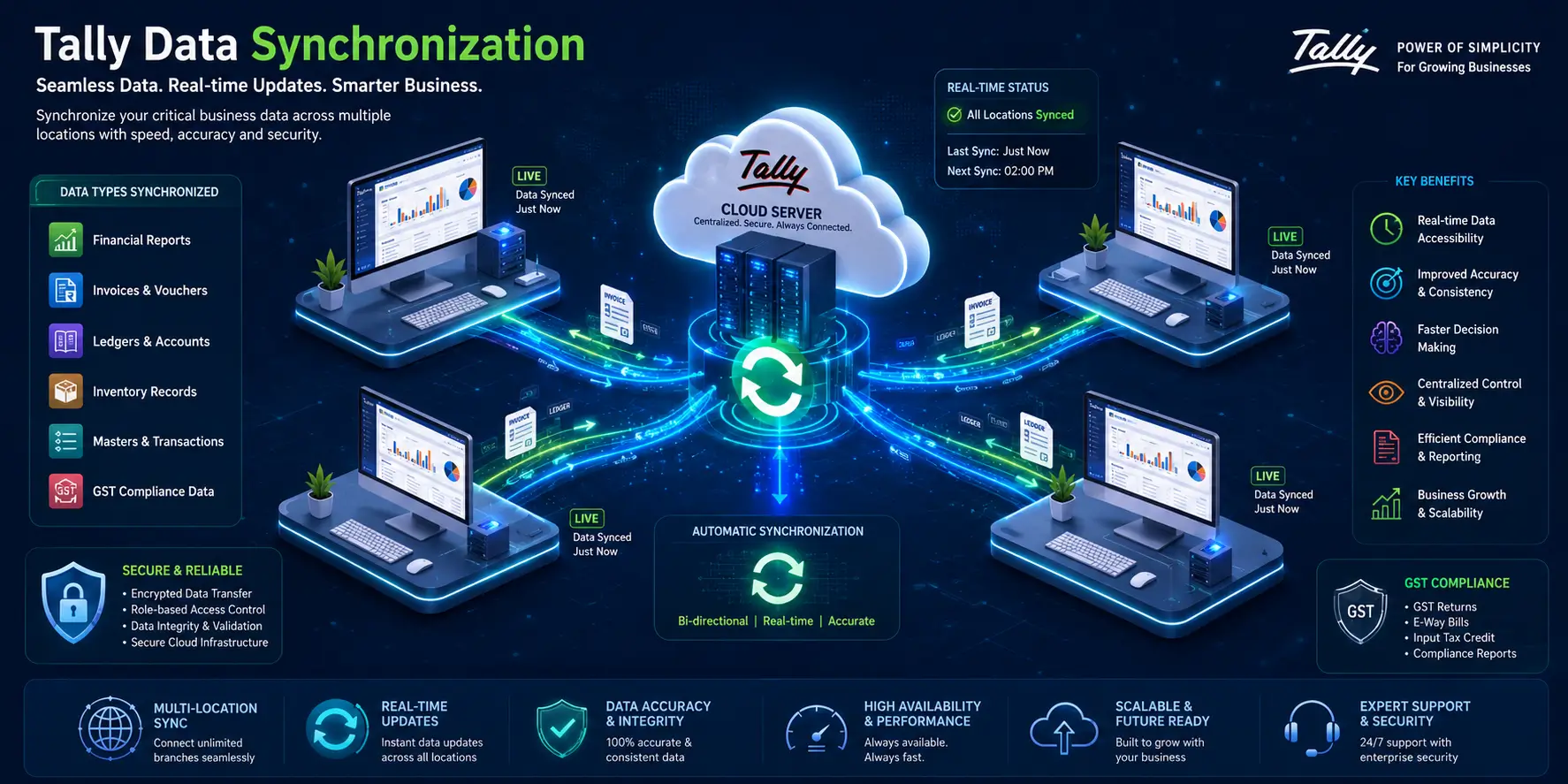
Tally Prime has always been the backbone of India’s accounting and compliance ecosystem. With every release, Tally introduces new capabilities that simplify business operations and strengthen data security. The latest Release of Tally Prime 7.0 is a major leap forward—bringing automation, speed, cloud backup, improved GST compliance, frictionless payment handling, and smarter data search capabilities.
Whether you are upgrading Tally Prime 7.0 or are simply interested in knowing why this version is becoming indispensable to businesses in the year 2026, this guide, with its detailed information, will tell you all you need to know.
New features in Release Tally Prime 7.0?
The modern digitalised world of finance requires businesses to be accurate, fast and automated. The 7.0 version of Tally Prime has been made keeping these requirements in mind. Be it data security, filing the GST, internet banking or implementing third-party applications, Release 7.0 is the one that is modern and future-ready.
This version focuses on:
- Smart automation for daily operations
- Iron-clad data protection through auto-backup
- Effortless online payments
- Advanced search with SmartFind
- Faster loading of companies and reports
- GST update enhancements
- Easy migration and JSON-based integrations
If you are growing your business or scaling your accounting operations, Tally Prime Release 7.0 is a must-have upgrade.
Auto Backup – Secure, Automated & Effortless
Data safety is the heart of Release 7.0. The new Auto Backup feature ensures your financial data is always protected—even if someone forgets to take a manual backup.
Scheduled Backup to Cloud or Local Storage
You can define backup frequency—hourly, daily, or weekly—and Tally will automatically store your data on:
- TallyDrive (Cloud backup)
- Local hard drive
- Server network location
The best part? The schedule runs even if TallyPrime is closed.
TallyDrive – Cloud-Based Backup for Anytime Access
TallyDrive enables:
- Secure remote backup
- Backup password protection
- Recovery key for authorised restorations
- Seamless access from any location
This ensures your team never loses critical accounting data.
Scheduled Backup to Cloud or Local Storage
The new Schedule Backup Report provides complete visibility:
- Create, edit, or delete backup schedules
- Take instant backups
- Move schedules
- Track your TallyDrive storage usage
- Download backup versions anytime
Flexible Restore Options
You can restore:
- Specific company versions
- Backups from cloud (TallyDrive)
- Backups stored locally
- Backups previously downloaded
This level of restoration flexibility minimizes downtime and prevents data loss during emergencies.
PrimeBanking Payments – Faster & Safer Online Payments
Release 7.0 introduces PrimeBanking Payments, revolutionizing how businesses manage online payments.
Online Payments Directly from Tally
No need to log into net banking portals repeatedly. You can make payments directly from Tally using supported banks.
Set Transaction Limits
To prevent errors and maintain financial control:
- Daily payment limit
- Single transaction limit
This protects your business from overspending or fraudulent transactions.
Real-Time Payment Status Updates
Once a payment is made, Tally automatically fetches:
- Success status
- Rejected payments
- Pending confirmations
This helps your finance team take immediate action if something fails.
Automated Payment Advice to Suppliers
After completing a transaction, Tally generates and sends automated payment advice—enhancing vendor relationships and eliminating manual follow-up.
SmartFind – Instantly Locate Anything in Tally
Tally Prime 7.0 introduces SmartFind, a groundbreaking search engine built inside Tally.
Fuzzy Search Capability
Even if you do not remember exact spellings, SmartFind helps you find:
- Ledger names
- Stock items
- Vouchers
- Narrations
- Masters
Transactions across all loaded companies
Search Without Switching Screens
You can perform searches without leaving your current task—saving time and increasing accuracy.
This feature alone boosts productivity for accountants and auditors by 30–40%.
Robust Migration – Smooth, Safe & Flexible
If you are upgrading from any previous version of TallyPrime or even Tally.ERP 9 Release 5.0 or later, the new migration engine is incredibly powerful.
Pause & Resume Anytime
If your migration process gets interrupted:
- Power failure
- System shutdown
- Emergency requirement
You can resume from where you left off—no need to restart.
Work Parallelly in Older Release
While migration happens, your team can still:
- Work in older Tally version
- Continue daily entries
All updates appear automatically in the migrated company once completed.
GST Compliance Simplified in Tally Prime 7.0
GST filing becomes easier and more compliant with updated features in Release 7.0.
Cancel e-Invoice, e-Way Bill & Voucher in One Click
A single action cancels all three—saving tremendous time.
Export GSTR-3B in One JSON or Excel File
Useful for accountants filing for multiple branches or monthly returns.
Duplicate Voucher Identification
Tally identifies duplicates in:
- GSTR-1
- GSTR-3B
- GSTR-2A/2B
- e-Invoice
- e-Way Bill
This ensures error-free GST filing.
ITC Reduction Made Easy (IMS)
With new government amendments in GST Input Tax Credit (ITC) handling, Tally Prime 7.0 introduces:
Invoice-Level ITC Editing
Update ITC for:
- B2BA
- CDNRA
- B2BDNA
Live Portal Sync
Declared ITC values sync with the GST portal in real-time.
Add Remarks for Pending or Rejected Invoices
Helps in:
- Better tracking
- Audit trail clarity
- Reconciliation accuracy
JSON Data Exchange – Smooth Third-Party Integrations
TallyPrime now supports JSON export and import, simplifying:
- API integrations
- Mobile app connectivity
- ERP connections
- Custom automations
Along with Excel and XML, JSON support makes Tally even more future-ready.
Faster Company Loading & Report Performance
Release 7.0 significantly enhances Tally’s speed:
- Companies load faster
- Reports open instantly
- Printing, exporting & emailing is quicker
- WhatsApp sharing performance improved
Businesses working with large data sets will see a major difference in speed.
How to Upgrade to Tally Prime 7.0
Before upgrading:
- Ensure your TSS (Tally Software Services) is active
- Update your Tally license
- Take a backup of your existing data
- Close all running Tally instances
If needed, Vishwnet India offers professional upgrade support for a smooth transition.
Buy Tally Prime 7.0 from Vishwnet India
Vishwnet India is an authorised Tally Partner, helping businesses with:
- Tally Prime license purchase
- Upgrades & migration
- Tally on Cloud
- Tally customisation & integration
- Annual maintenance & support
Whether you want to buy Tally Prime 7.0, upgrade from your existing version, or need expert consultation, Vishwnet ensures seamless onboarding and timely support.