In today’s fast-paced world, organisations running out of several locations need easy access to correct data. Tally Data Synchronization lets businesses maintain harmony between the head office and branches by auto-updating transactions across different Tally instances. But there are some technical issues that may interrupt the process, affecting efficiency.
As an experienced Tally Software Authorised Star Associate Partner, we help you synchronise your Tally data easily without any hassles to improve productivity and accuracy.
What is Tally Data Synchronization?
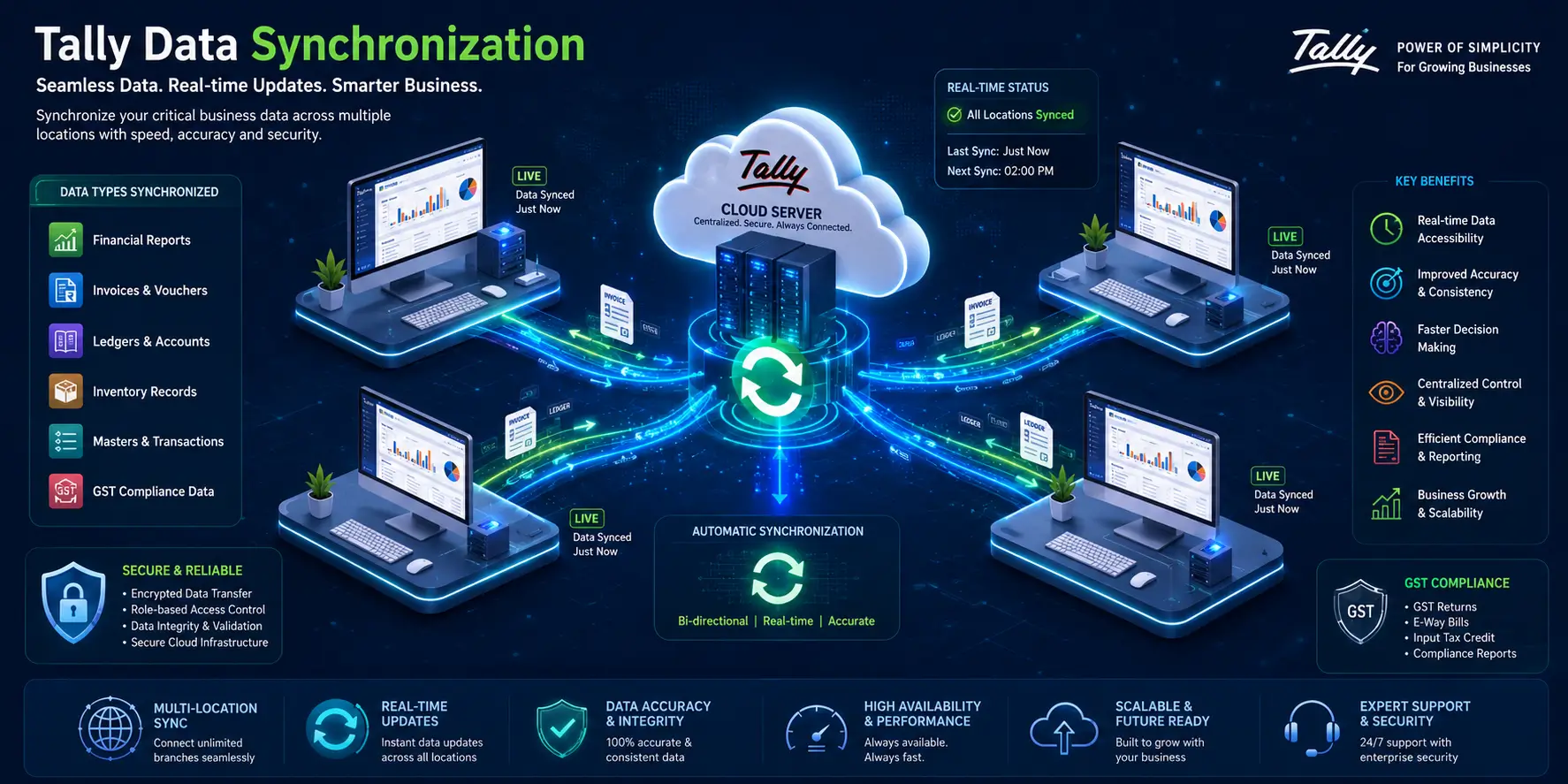
Tally Data Synchronization helps businesses share and update accounting information between Tally databases. This feature is really helpful for companies with branches, warehouses or remote offices that need to access financial information right away.
With Tally Prime Data Synchronisation, businesses can avoid entering the data multiple times, get more accurate reports and keep the same records everywhere. Tally Data Synchronization makes it easy to keep everything in sync.
Common Tally Synchronization Problems and Their Resolutions
1. Incorrect Synchronization Configuration
One of the most common causes of a Tally synchronization problem is incorrect configuration settings.
Common Causes:
- Wrong server name or IP address
- Incorrect port configuration
- Mismatch in synchronisation rules
- Invalid client settings
Resolution:
- Verify the synchronisation settings on both systems.
- Ensure that the server details are correctly entered.
- Review the synchronisation rules and update them if necessary.
- Test the connection before initiating the process.
2. Network Connectivity Issues
Stable internet or network connectivity is essential for successful Tally Prime Synchronization.
Common Causes:
- Weak internet connection
- Firewall restrictions
- VPN disruptions
- Network downtime
Resolution:
- Check the stability of the network connection.
- Configure firewall settings to allow Tally communication.
- Restart networking equipment if required.
- Coordinate with your IT team to resolve connectivity concerns.
3. Duplicate Voucher Conflicts
Duplicate entries can occur when the same transaction is modified in different locations before synchronisation.
Common Causes:
- Simultaneous editing of vouchers
- Improper synchronisation schedules
- Lack of user coordination
Resolution:
- Establish clear data entry protocols.
- Schedule synchronisation at fixed intervals.
- Restrict editing permissions where necessary.
- Review conflict reports generated during synchronisation.
4. Version Mismatch Between Systems
A mismatch in software versions often results in Tally synchronization Errors & Resolutions becoming more complicated.
Common Causes:
- Different versions of Tally Prime
- Delayed software updates
- Incompatible releases
Resolution:
- Ensure all systems operate on the same Tally Prime release.
- Update software regularly.
- Verify compatibility before initiating synchronisation.
5. Data Corruption Issues
Damaged company data may interrupt Tally Synchronization in Tally Prime.
Common Causes:
- Sudden system shutdowns
- Hardware failures
- Improper backup restoration
Resolution:
- Take regular backups of company data.
- Use Tally's data verification utilities.
- Restore data from the latest verified backup if corruption occurs.
- Seek professional assistance for extensive data damage.
6. Insufficient User Permissions
User access restrictions can prevent successful synchronisation.
Common Causes:
- Limited administrative rights
- Incorrect security settings
- Unauthorised access controls
Resolution:
- Review user roles and permissions.
- Grant synchronisation rights to authorised personnel.
- Periodically audit access privileges.
Best Practices for Successful Tally Prime Data Synchronization
Businesses can minimise disruptions by adopting preventive measures.
Recommended Practices:
- Maintain consistent Tally Prime versions across locations.
- Schedule regular synchronisation activities.
- Perform routine data backups.
- Monitor network performance continuously.
- Train employees on synchronisation procedures.
- Restrict access to critical functions.
- Review synchronisation logs frequently.
- Conduct periodic system health checks.
- Document internal synchronisation protocols.
- Engage certified Tally professionals when required.
Why Tally Data Synchronization Matters
Efficient Tally Data Synchronization improves collaboration between branches and headquarters. It provides management with accurate financial insights, reduces manual intervention, and enhances decision-making capabilities.
For growing organisations, implementing effective Tally Prime Synchronization practices can significantly improve operational efficiency while reducing the risk of costly errors.