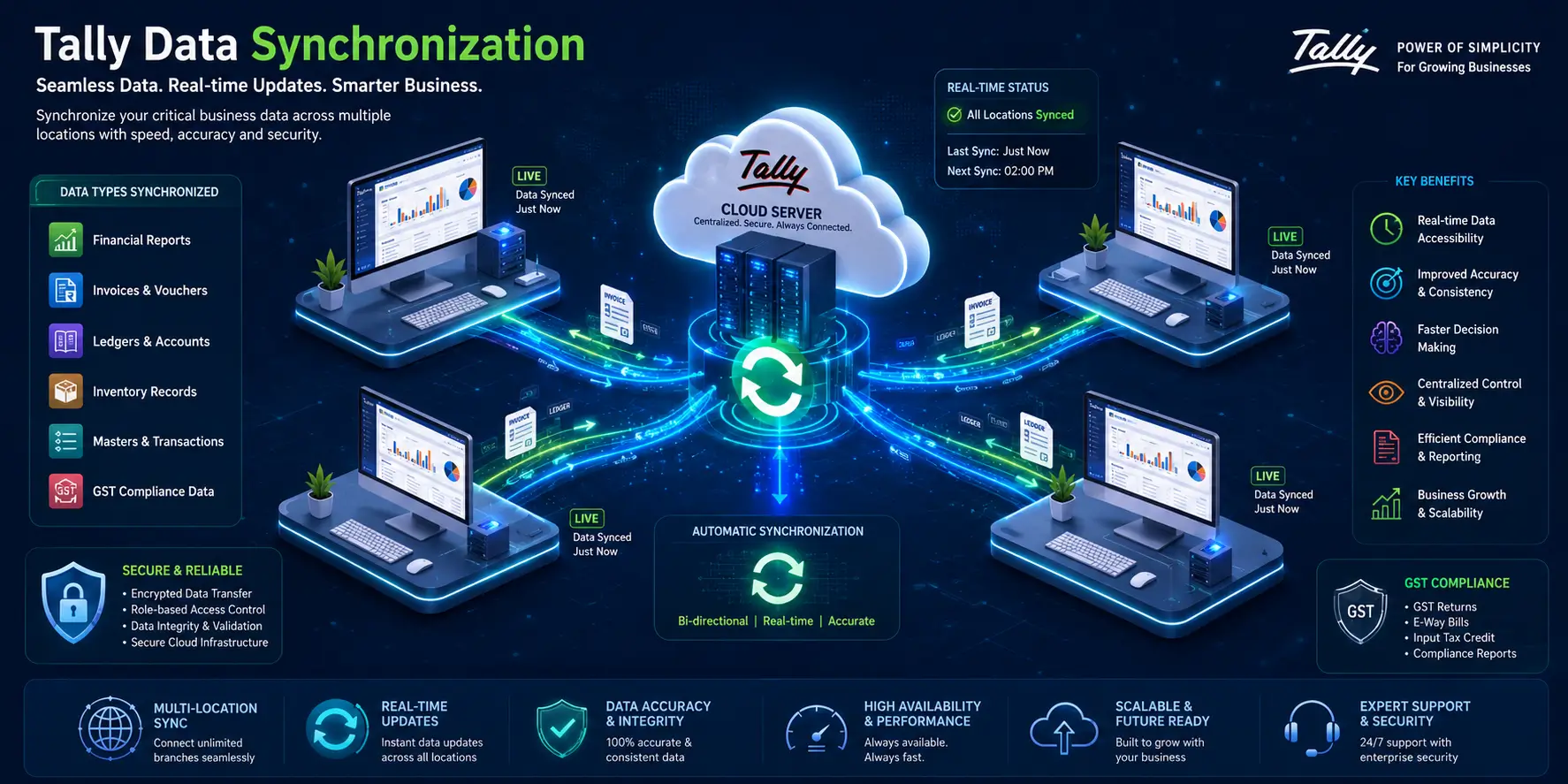
Managing your business account has now become very easy and convenient due to the latest version of Tally Prime 7.1. As per its features and improvements, TallyPrime 7.1 is meant to provide increased efficiency, greater compliance, and better convenience for various accounting processes.
If you are already using Tally software and planning on upgrading to TallyPrime 7.1, or you own a business and are thinking about buying Tally Prime, then you must be aware of the latest developments.
What is Tally Prime 7.1?
The most recent release of the Tally Business Management Software, which is Tally Prime 7.1, has been designed to bring about improvement in performance, improved compliance, increased efficiency, and more simplicity in dealing with aspects like account management, inventory management, tax management, and more.
The launch of TallyPrime Release 7.1 makes it possible for companies to manage operations efficiently while maintaining their adherence to accounting regulations.
Key Features of Tally Prime 7.1
Enhanced GST Compliance
One of the most significant aspects of TallyPrime 7.1 is its improved GST functionality.
Key enhancements include:
- Simplified GST return preparation.
- Improved accuracy in GST data reconciliation.
- Faster identification of mismatches.
- Better visibility of input tax credit details.
- Reduced manual effort during return filing.
These improvements help businesses stay compliant while saving valuable time.
Improved User Experience
TallyPrime Release 7.1 offers a more intuitive and user-friendly experience.
Benefits include:
- Easier navigation across modules.
- Faster access to frequently used reports.
- Streamlined workflows.
- Better organisation of information.
- Reduced learning curve for new users.
Better Reporting Capabilities
Businesses rely heavily on reports for decision-making.
The latest version provides:
- Comprehensive financial reports.
- Improved drill-down functionality.
- Detailed transaction analysis.
- Enhanced management reporting.
- Real-time access to business insights.
Increased Performance and Stability
Performance improvements make everyday operations smoother.
Key advantages include:
- Faster loading of company data.
- Improved response times.
- Enhanced software stability.
- Reduced processing delays.
- Better handling of larger data volumes.
Simplified Data Management
Data accuracy remains critical for any business.
Tally Prime 7.1 supports:
- Efficient data management.
- Improved backup processes.
- Better data security controls.
- Easier company data maintenance.
- Enhanced reliability during routine operations.
Benefits of Tally Prime 7.1
Upgrading to the latest version provides several practical advantages.
Improved Business Efficiency
Businesses can accomplish more with less effort.
Benefits include:
- Reduced manual data entry.
- Faster transaction processing.
- Quicker report generation.
- Improved operational efficiency.
- Better utilisation of staff resources.
Enhanced Compliance Management
Keeping up with changing regulations can be challenging.
Tally Prime 7.1 helps by offering:
- Up-to-date compliance support.
- Accurate GST reporting capabilities.
- Simplified return preparation.
- Better record maintenance.
- Reduced compliance risks.
Better Decision-Making
Access to timely information supports strategic planning.
Users benefit from:
- Real-time financial insights.
- Detailed business reports.
- Improved cash flow visibility.
- Better inventory tracking.
- Enhanced control over business performance.
Cost Savings
Operational improvements can translate into financial benefits.
Businesses may experience:
- Reduced administrative workload.
- Lower compliance-related costs.
- Improved productivity.
- Fewer accounting errors.
- Better resource allocation.
Why Upgrade Tally Prime 7.1?
If you are using an older version, it is advisable to Upgrade Tally Prime 7.1 to access the latest features and improvements.
Reasons to upgrade include:
- Access to the newest compliance updates.
- Improved software performance.
- Enhanced reporting capabilities.
- Better user experience.
- Continued support and compatibility.
Delaying upgrades may result in missed opportunities to improve efficiency and maintain regulatory compliance.
How to Upgrade Tally Prime 7.1
The process to Upgrade Tally Prime 7.1 is straightforward.
Backup Your Data
Before beginning the upgrade process:
- Create a complete backup of company data.
- Verify backup integrity.
- Store backup files securely.
Check Licence Eligibility
Ensure that:
- Your Tally licence is active.
- You meet the upgrade requirements.
- Subscription-related obligations are fulfilled.
Download the Latest Release
Obtain the latest installation package from an authorised Tally partner.
Install Tally Prime 7.1
Follow the installation instructions carefully:
- Run the installer.
- Complete the setup process.
- Verify successful installation.
Migrate Company Data
Once installation is complete:
- Open existing company data.
- Allow the migration process to finish.
- Review reports for accuracy.
Why Buy Tally Prime 7.1 from Vishwnet India?
Choosing the right implementation partner is equally important.
At Vishwnet India, customers receive:
- Genuine Tally licences.
- Professional installation assistance.
- Upgrade support services.
- Expert guidance from experienced professionals.
- Prompt customer support.
- Assistance with data migration.
- Ongoing technical consultation.
Whether you need to Buy TallyPrime 7.1 for a new business or upgrade your existing setup, Vishwnet India provides end-to-end support to ensure a seamless experience.